Spotlight Search
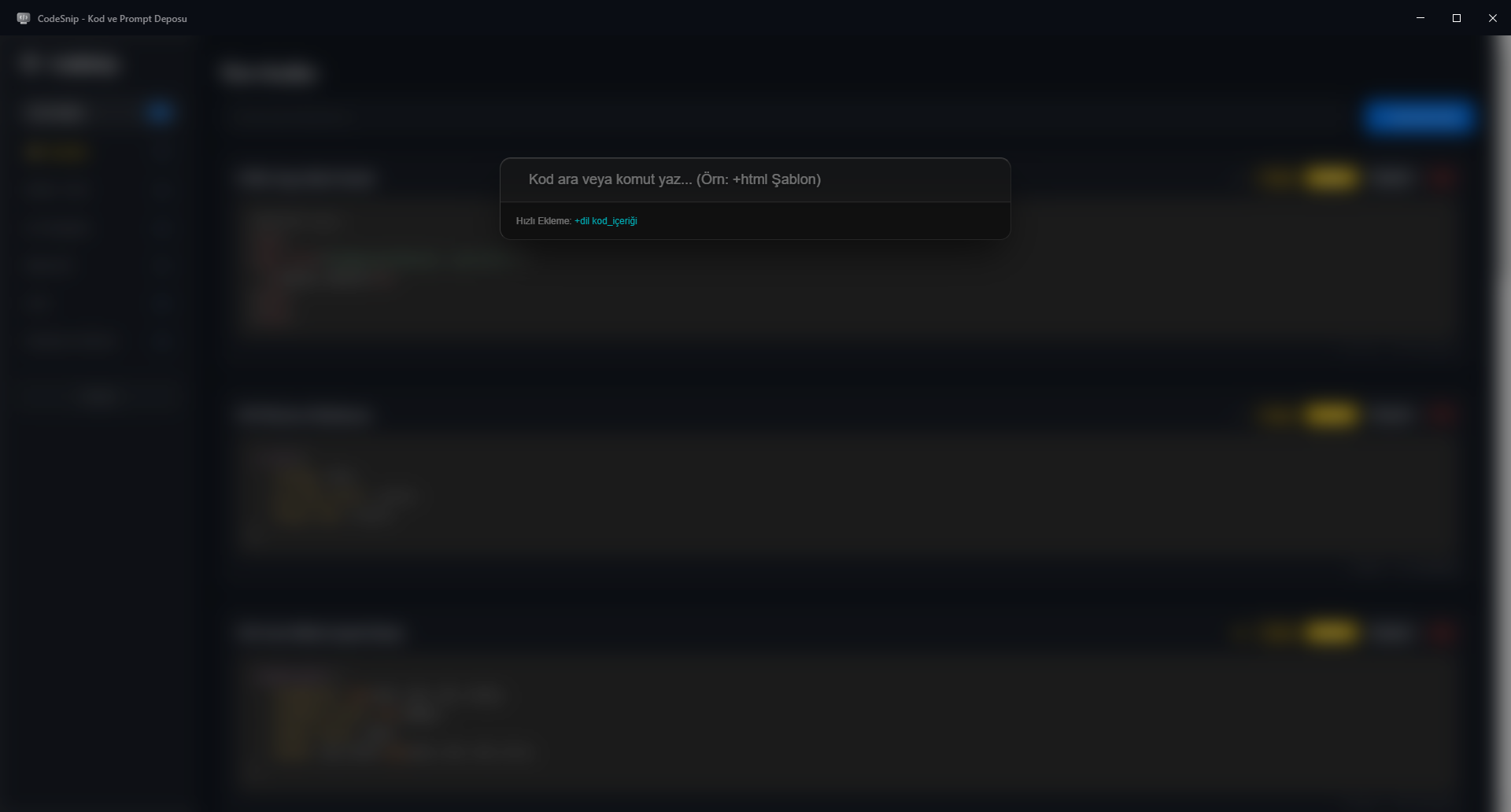
Find snippets instantly with global Spotlight search. Use Ctrl + Shift + S from anywhere.
A modern, fast and completely offline desktop app for code snippets, terminal commands and AI prompts.
CodeSnip keeps your frequently used code and prompts close, searchable and available even without an internet connection.
Find snippets instantly with global Spotlight search. Use Ctrl + Shift + S from anywhere.
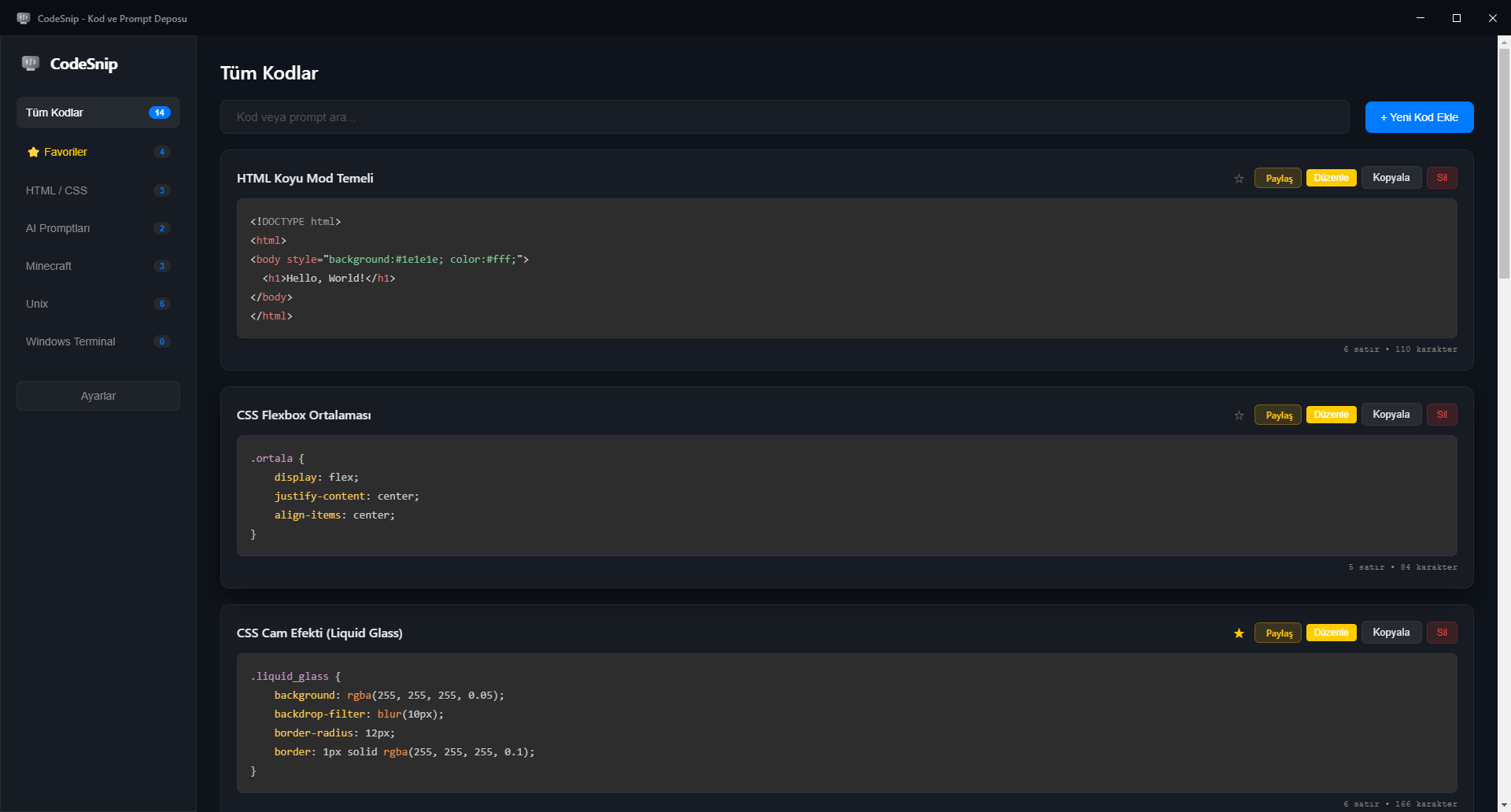
A clean, modern interface designed around fast navigation and a focused workspace.
Create compact Base64-based sharing links for snippets without sending your data to a server.
Your snippets stay local. CodeSnip works without requiring an internet connection.
Switch between Turkish and English and keep the workspace comfortable for your workflow.
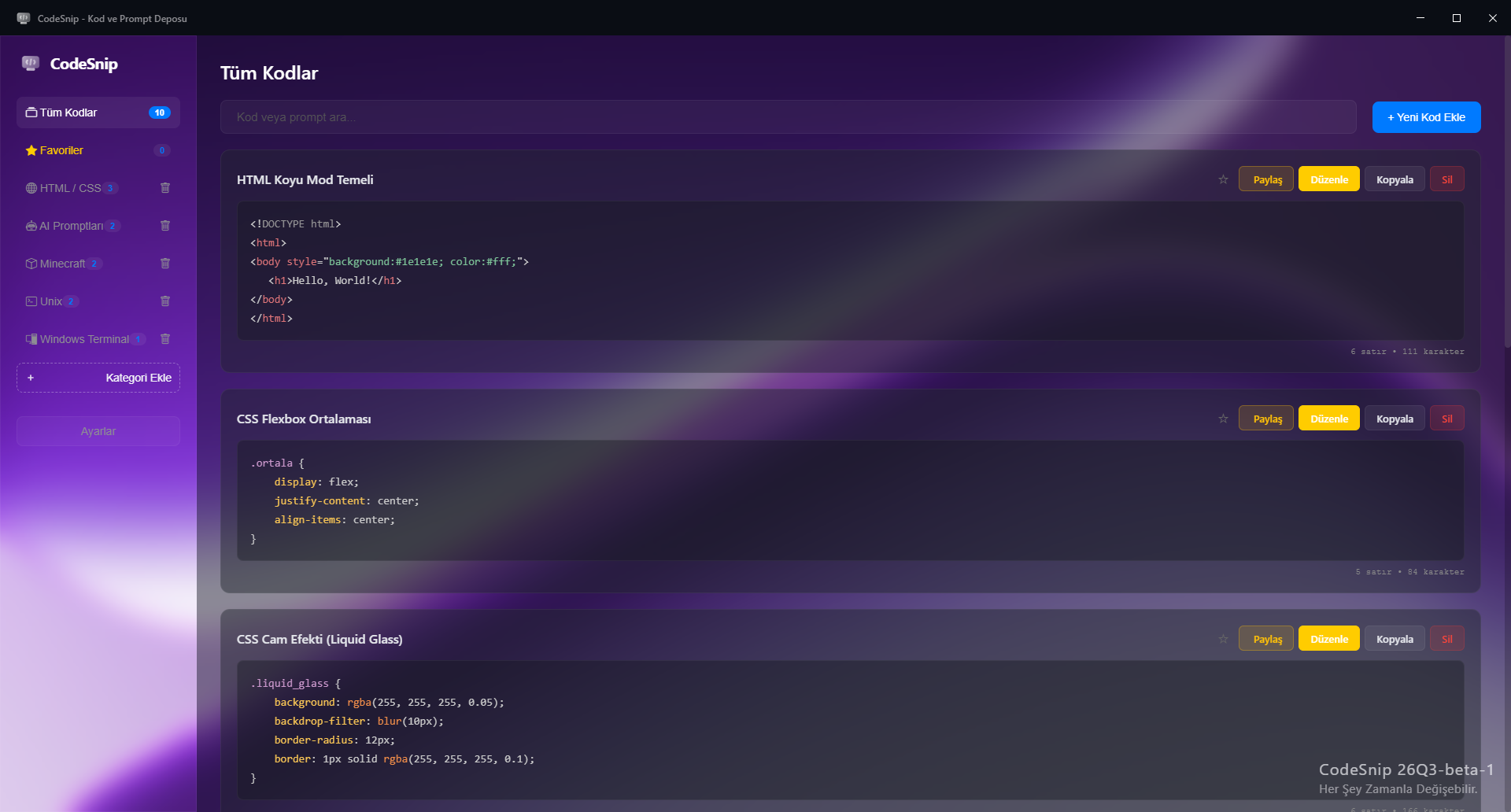
Organize snippets into categories and filter your collection quickly as it grows.
Export and import your snippet library as JSON so your local data is easy to back up and move.
Personalize the workspace with appearance, blur, transparency, accent and background options.
ROADMAP
CodeSnip starts its journey.
Hotfixes, favorites and early improvements.
Spotlight, sharing and redesigned Liquid Glass UI.
Linux support for Debian, Arch and Red Hat, improved appearance, customization and category management.
Application optimization and macOS expansion, while continuing platform-specific Linux improvements.
A plugin system and built-in code preview capabilities.
Download CodeSnip or explore the source on GitHub.